


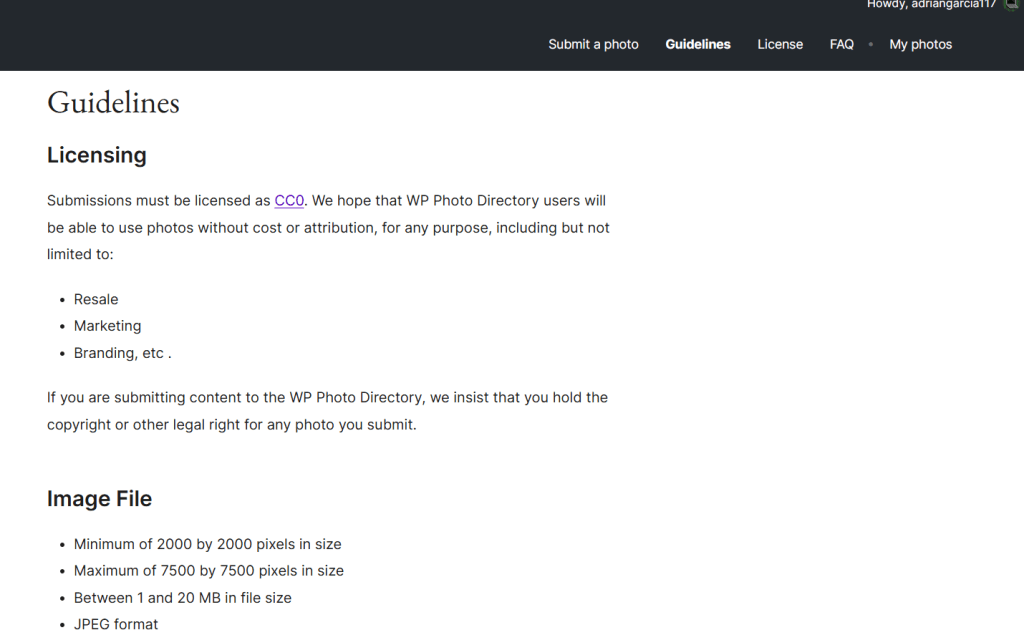
Before submitting anything, I went through the WordPress Photo Directory guidelines carefully, since not every photo qualifies — even a good photo can get rejected for technical reasons.
The main requirements I had to check for each image:
- Minimum resolution of 2000×2000 pixels — smaller images are rejected automatically
- JPEG format only
- No watermarks, logos, or text overlays
- No visible faces without consent
- No visible brand logos
- Minimal editing — basic brightness/contrast/cropping is fine, heavy filters are not
I went through my photo folder and separated the ones that met all these criteria from the ones that needed re-editing or that I’ll leave out. I focused mostly on [campus architecture / Costa Rican landscapes / textures — adjust to your theme], since those are useful categories for designers and currently underrepresented in the directory.
With my selection ready, the next step is submitting my first batch.


Leave a Reply